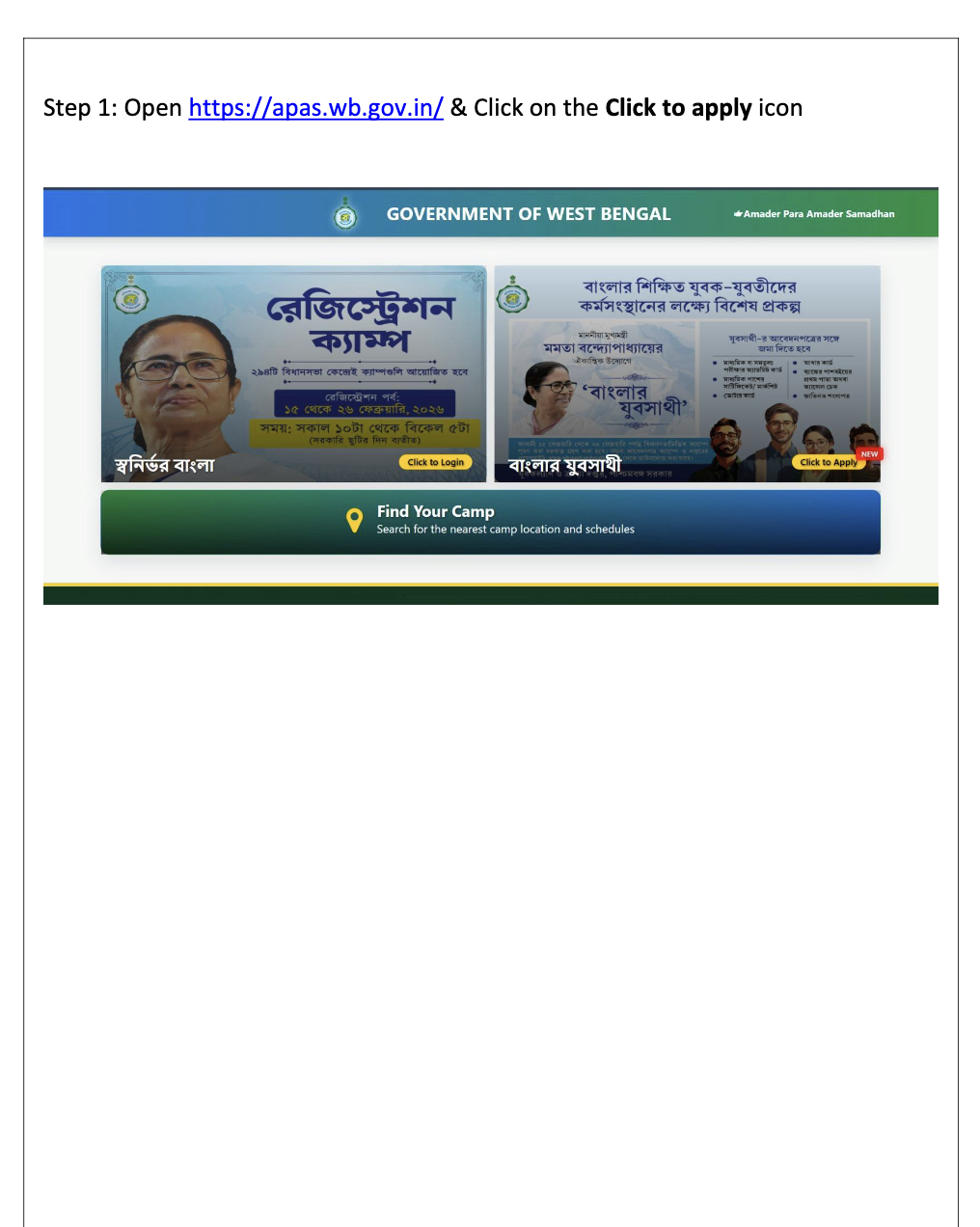
Step 1: Open Official Portal
01/08Open https://apas.wb.gov.in/ and click on the "Click to Apply" icon on the homepage banner.
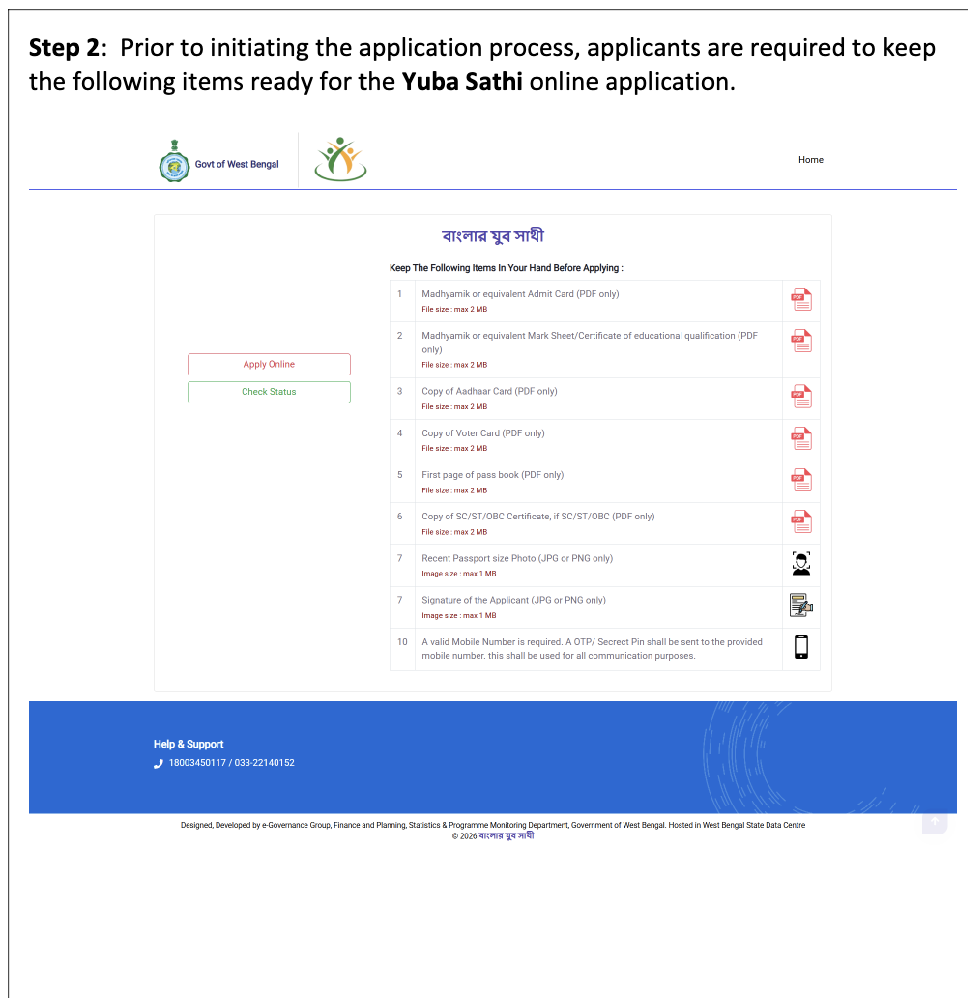
Step 2: Read Instructions & Requirements
02/08Review the list of required documents. PDFs (max 2MB) are required for certificates, and Images (max 1MB) for Photo/Signature.
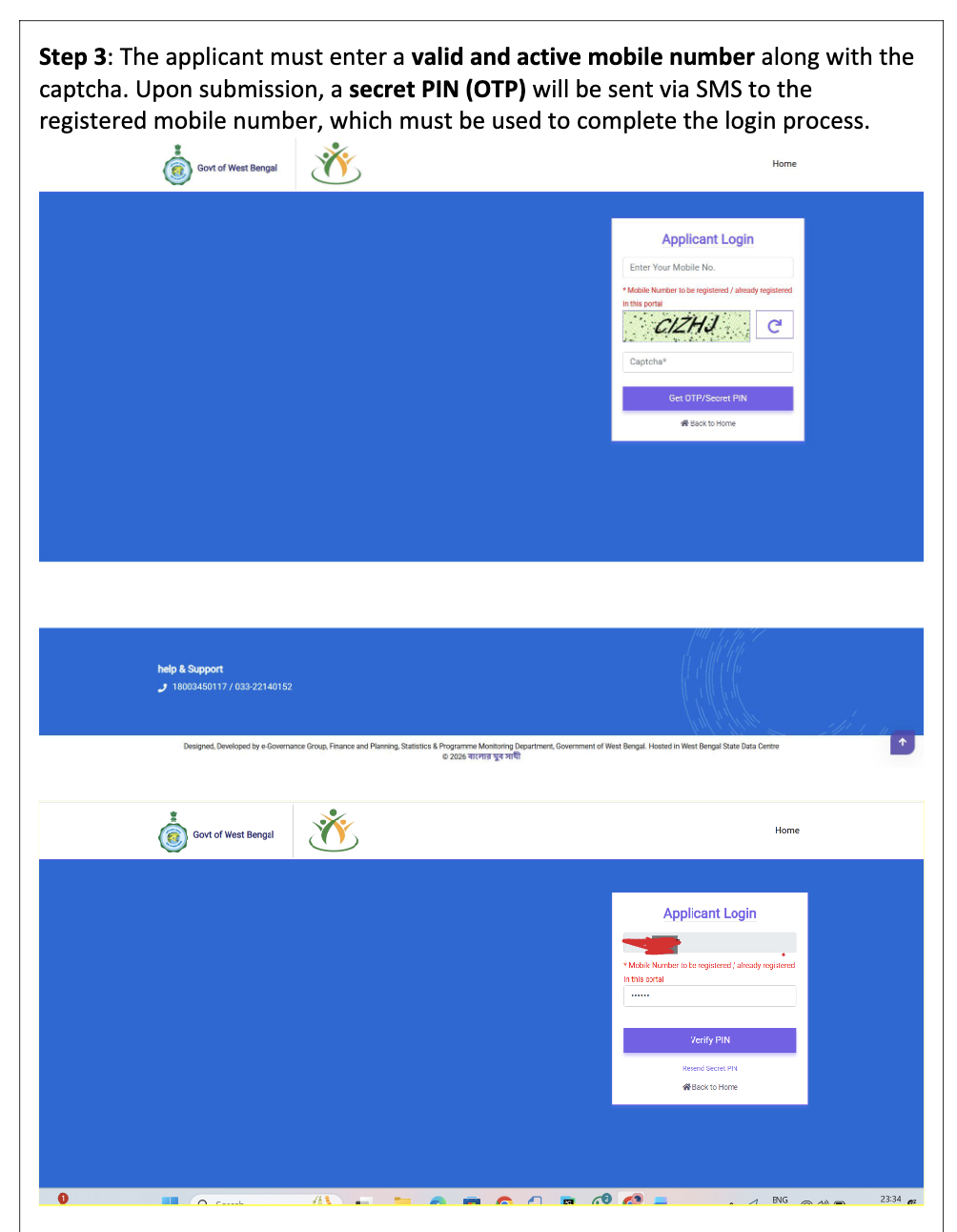
Step 3: Mobile Registration (OTP)
03/08Enter a valid Mobile Number and Captcha. You will receive a Secret PIN (OTP) via SMS to complete the login process.
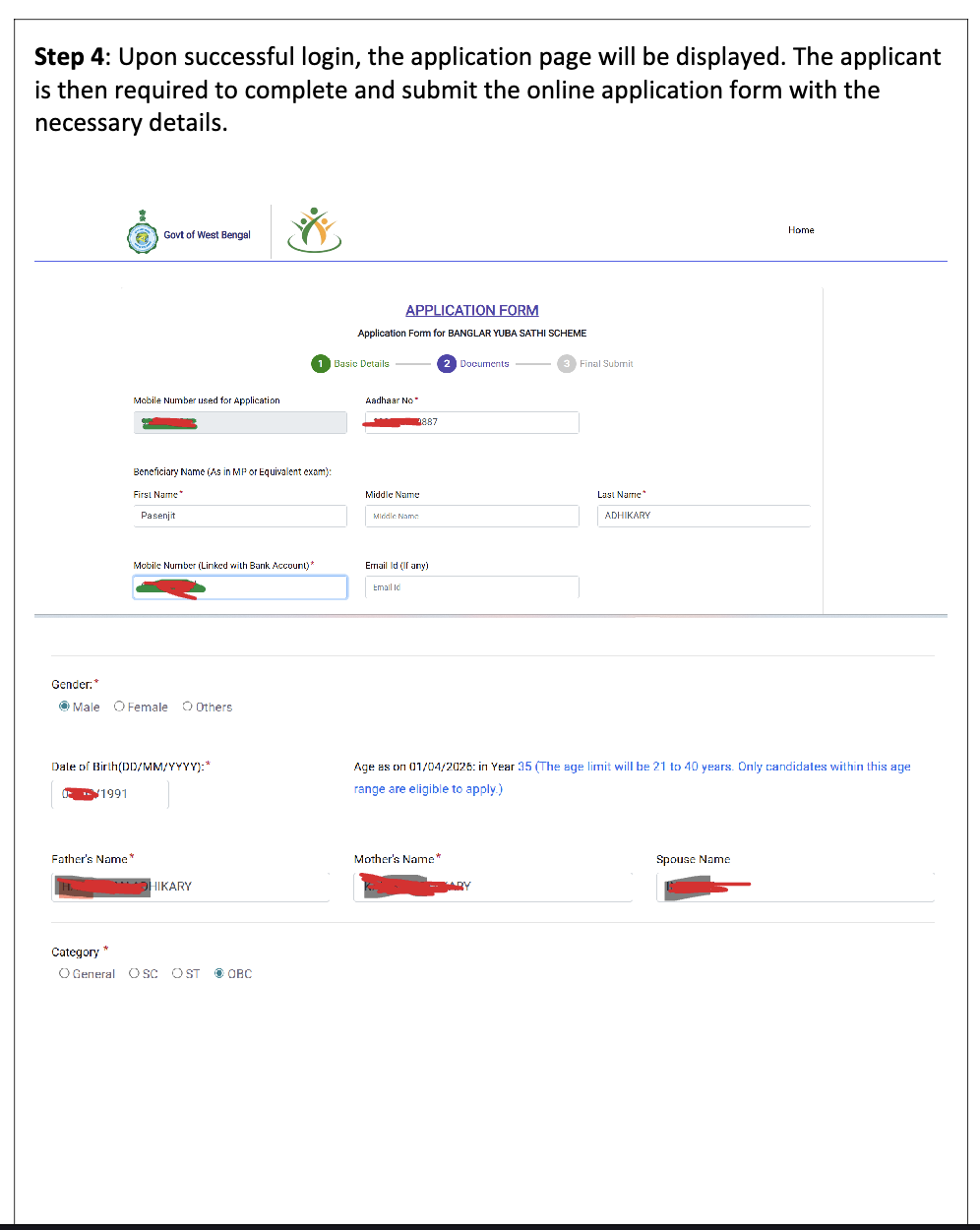
Step 4: Fill Basic Details
04/08Upon login, fill in Basic Details: Aadhaar No, Name, Gender, DOB, Parent's Name, Spouse Name, and Category.
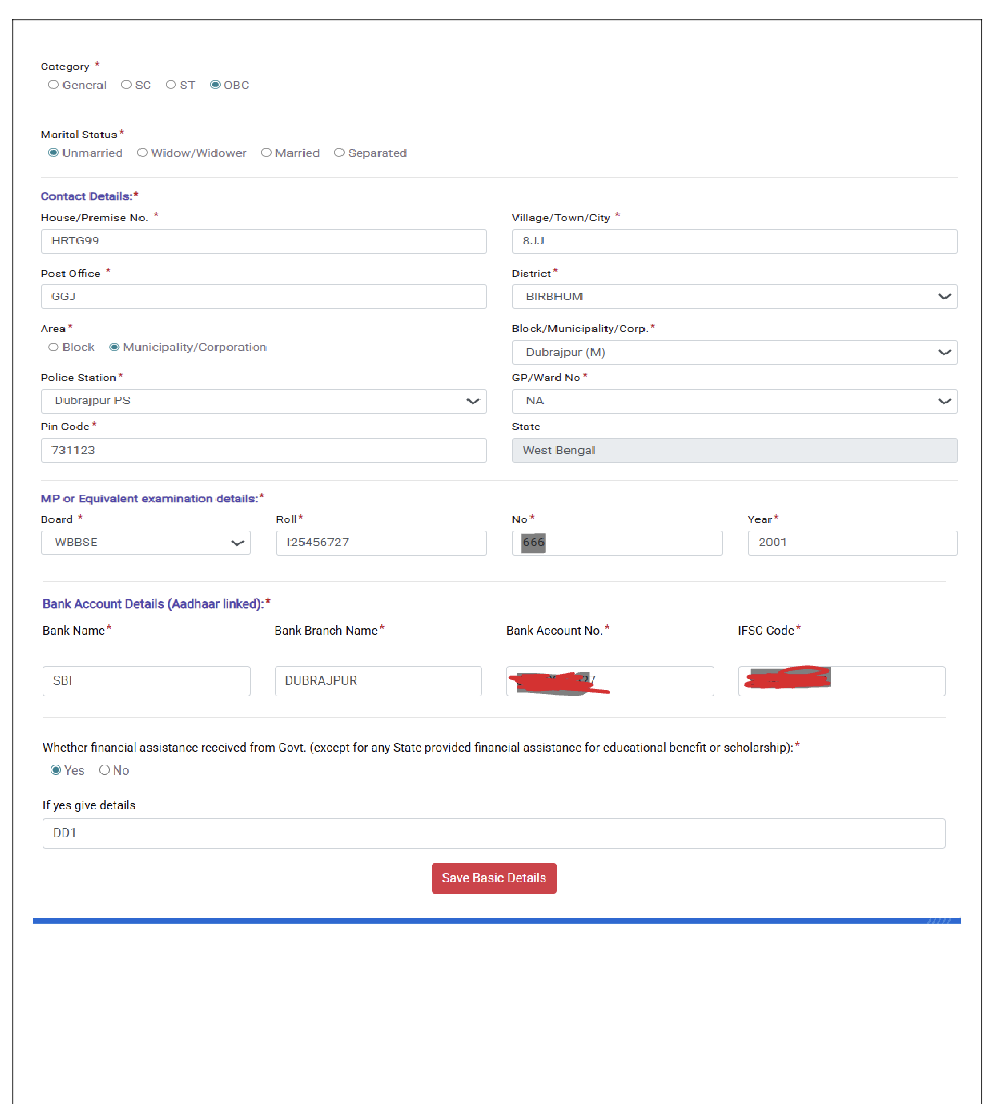
Step 5: Address, Education & Bank
05/08Complete Contact Details (Address, Block, Pin), Exam Details (Board, Roll No, Year), and Bank Account info.
Step 6: Upload Documents
06/08Upload all mandatory documents (Admit Card, Mark Sheet, Aadhaar, Voter Card, Passbook, Photo, Signature) as per the detailed list.
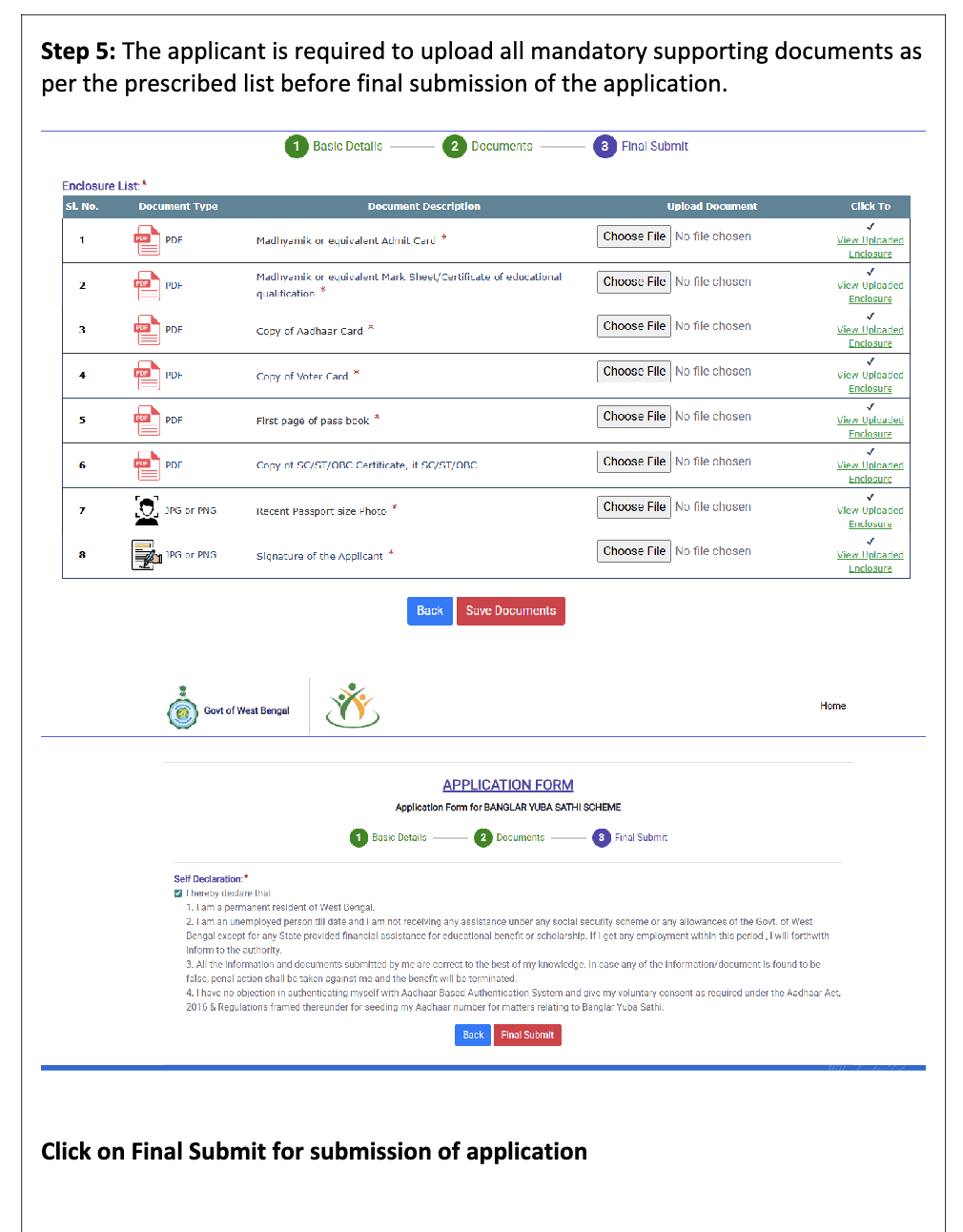
Step 7: Self Declaration & Submit
07/08Read the declaration points, check the box to confirm you are unemployed and a resident of WB, then click Final Submit.
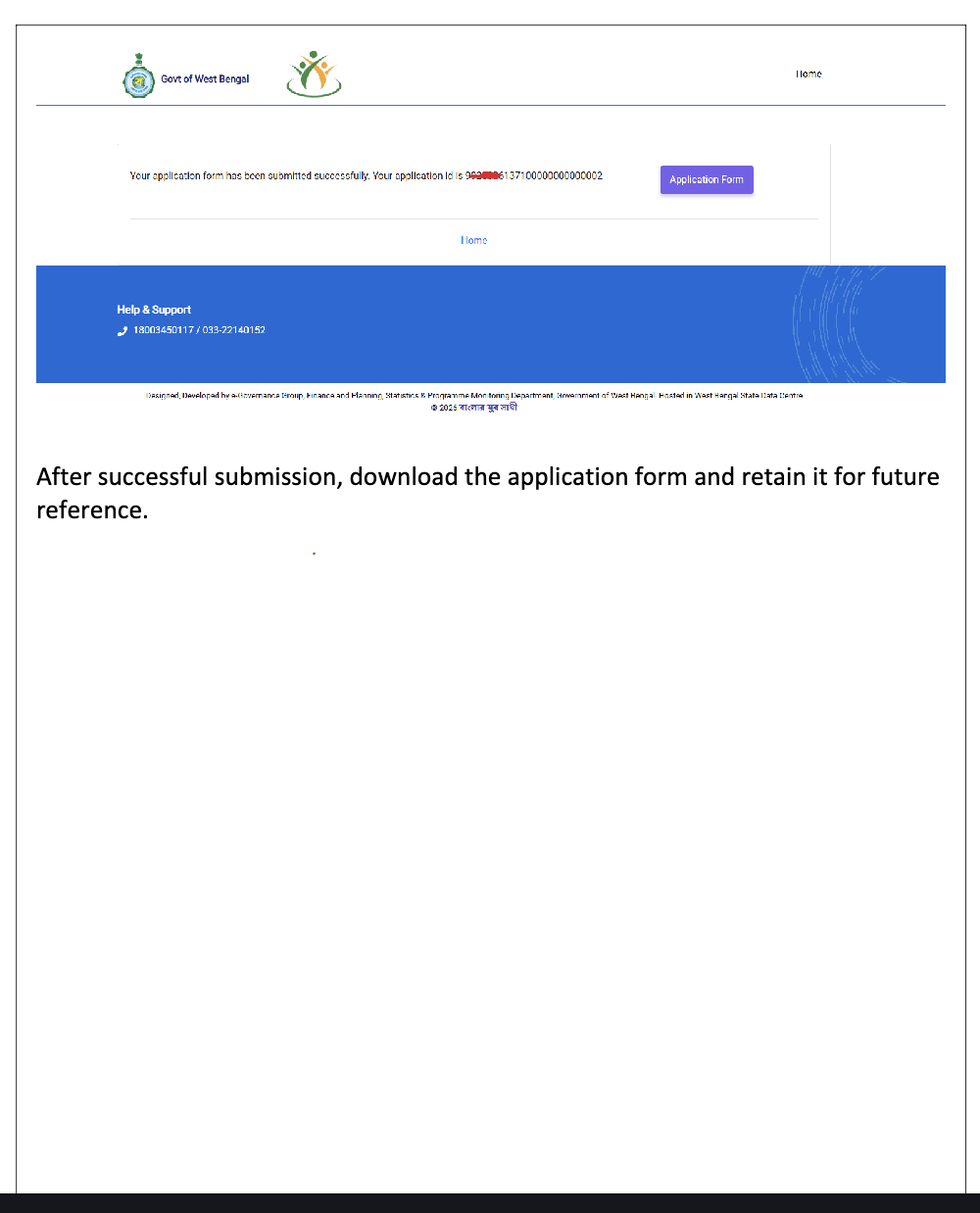
Step 8: Download Application Form
08/08Success! Note your Application ID. Click on "Application Form" to download and save it for future reference.